Help Desk

Information Technology

Reed Managed Updates & Upgrades in MacOS

Apple periodically releases updates to MacOS to fix bugs, security vulnerabilities, and provide enhancements. An update is a newer version of the currently installed operating system, such as an update from Tahoe 26.5.1 to 26.5.2. On the other hand, an OS upgrade is a new major version of the Mac Operating System, such as moving from MacOS Sequoia (version 15) to MacOS Tahoe (version 26).

Major versions of MacOS are generally released annually and maintained for three years with security updates. To keep Reed Macs up-to-date and secure, IT is making updates more prominent and requiring them to be installed within 15 days of being released by Apple. Similarly, once Apple releases a new major operating system and drops support for the oldest version, an OS upgrade is required on Reed Macs. Please refer to the sections below to learn more.

Update Prompts

Shortly after Apple releases an OS update, Reed Macs will see the prompt below to install the update. If now is not a good time to restart and install the update, click the "Defer" button. Up to 5 deferrals are allowed.
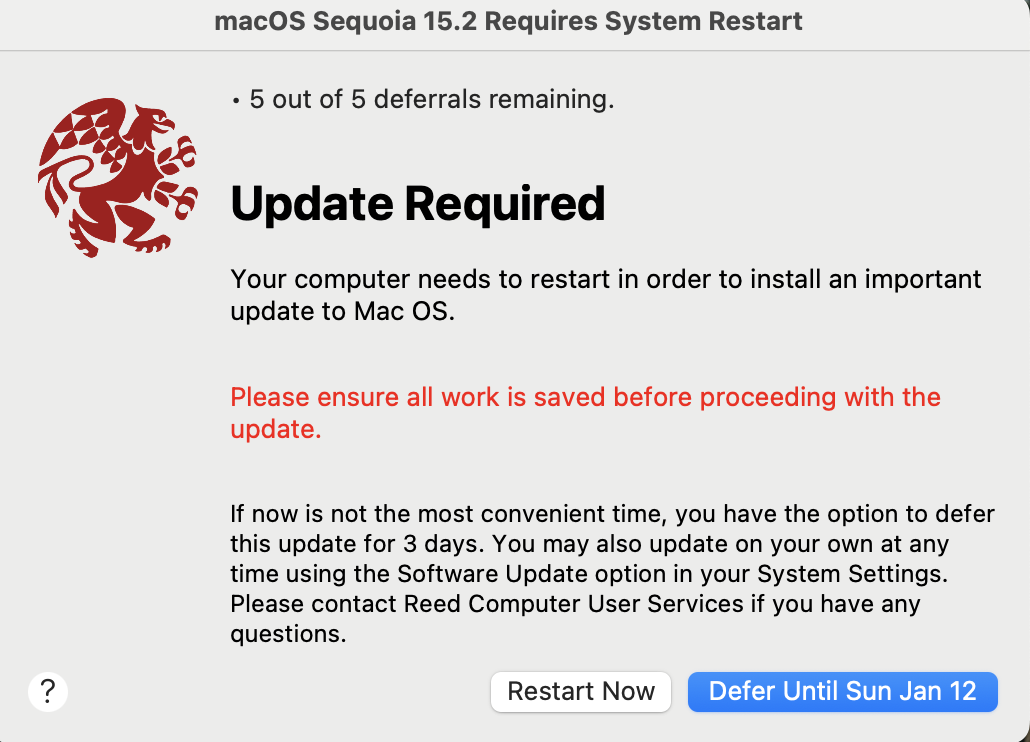
Update Required

Three days later, you will be prompted again. When you are ready to install the update, click "Restart". When the maximum number of deferrals is reached, you are prompted to restart immediately. Newer Macs with Apple Silicon will be prompted to type in the computer password of the current user.
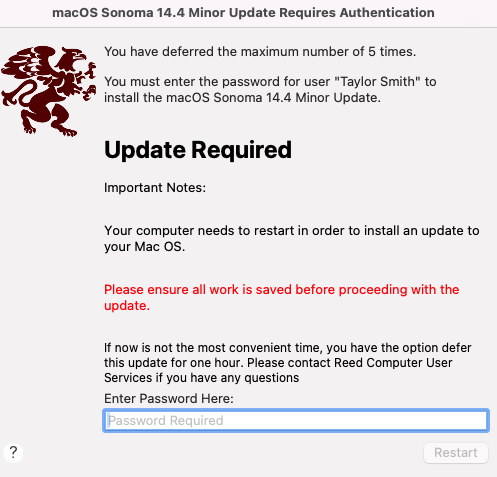
OS_Max_Deferral.png

Save your files before entering your password and clicking "Restart".
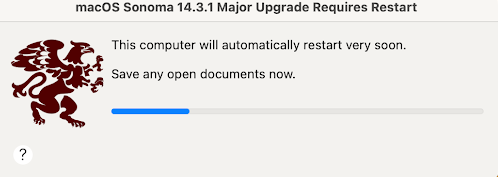
Restart.png

The computer will restart within a minute and then install the update. Your computer will never restart without you clicking the Restart button.
Upgrade Prompts

Once Apple releases a new major OS version, IT tests for compatibility in Reed's environment. After compatibility is confirmed, Reed Macs running an older OS that Apple no longer maintains will be required to upgrade to a supported OS. 

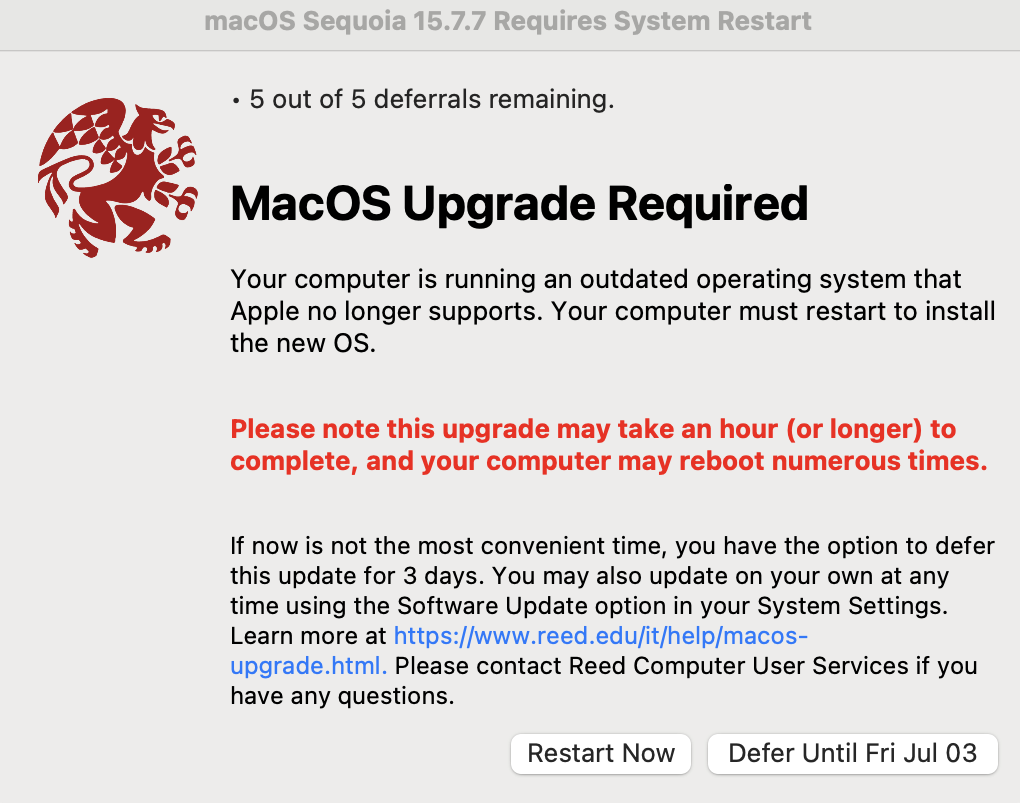
Reed Macs will see the upgrade prompt below. Major upgrades will take an hour or longer to install. If now is not a good time to restart and install the new OS, click the "Defer" button. Up to 5 deferrals are allowed.

OS Upgrade Prompt

Three days later, you will be prompted again. When you are ready to install the new OS, click "Restart". When the maximum number of deferrals is reached, you are prompted to restart immediately.

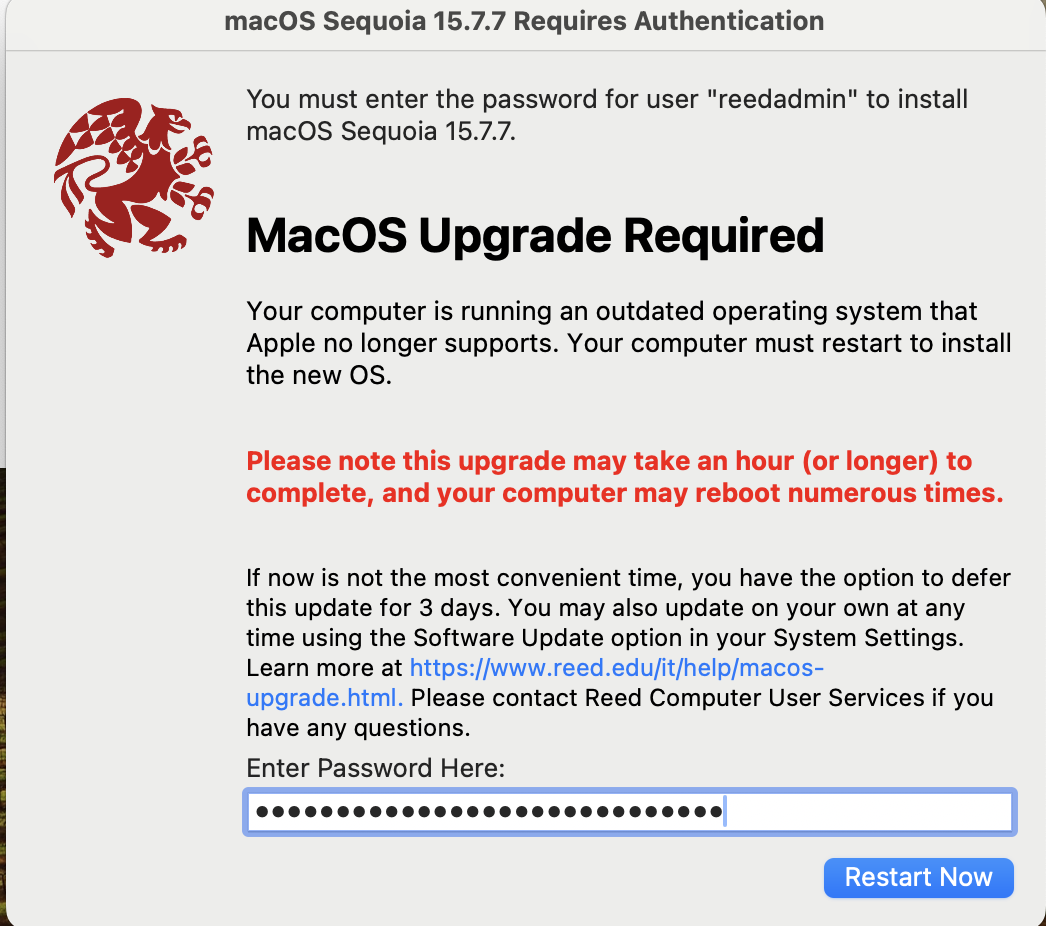
You may be prompted to type in the computer password of the current user:

Upgrade Password Prompt

Save your files before entering your password and clicking "Restart".

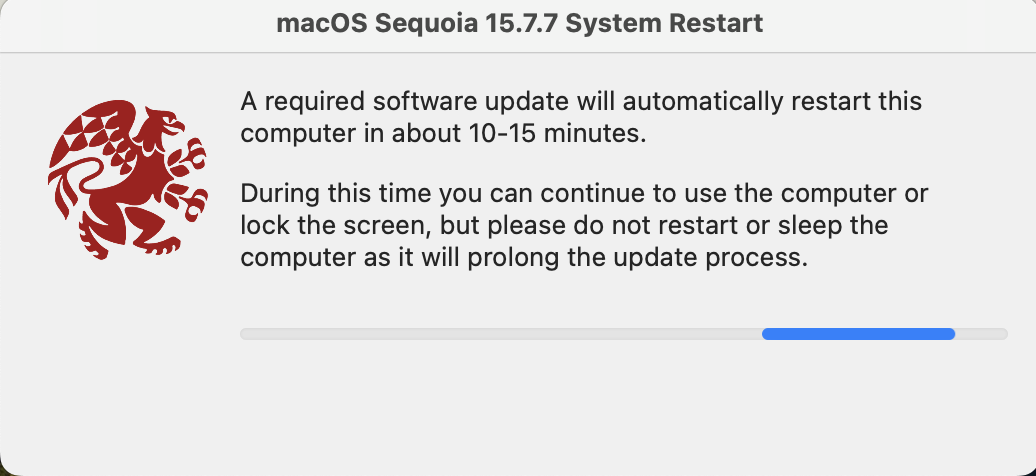
Restart Message

The computer will restart and then install the new OS. It may take 15 minutes or longer before your computer restarts. Your computer will never restart without you clicking the Restart button.
FAQs

What's the difference between an OS update and an OS upgrade?
An update is a newer version of the currently installed operating system. For example, going from Tahoe 26.5.1 to Tahoe 26.5.2. Updates generally fix security vulnerabilities and bugs. An upgrade is a major version change to the operating system, such as upgrading from Mac OS Sequoia (15) to Mac OS Tahoe (26). After an upgrade, the system will often have a different look and feel, in addition to new features.
Will I be forced to upgrade to the next major OS version?

Yes, if your computer is running a much older OS that Apple no longer maintains. Generally, Apple maintains the current OS version, and the two previous releases. Refer to the end of life schedule for MacOS.

Will my computer be forced to restart without prompting me?

No. As long as you are logged in, your computer will not restart until you click the Restart button. Once the maximum number of deferrals is reached, the dialog will not go away until you log out or restart. The computer will not restart without user input. If you log out or restart the computer, the pending updates or upgrade will be installed automatically.

Can I still update the traditional way through System Settings/System Preferences?

Yes. Although you will not receive the traditional update notifications from System Settings, you can still initiate the updates from there.