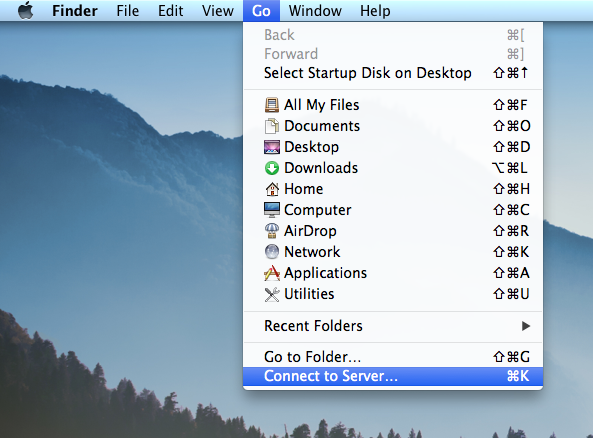
- Open the 'Go' menu from the Apple menu bar and select 'Connect to Server' at the bottom.
- In the dialog box that pops up, enter the following into the "Server Address:" field:
smb://fileshares.admin.reed.edu
and hit the connect button.
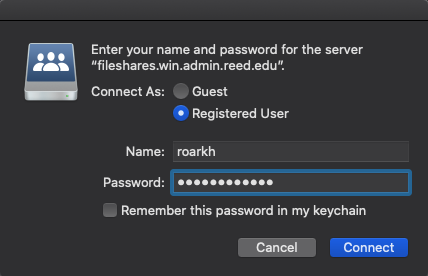
- Enter your username and admin password and hit connect.
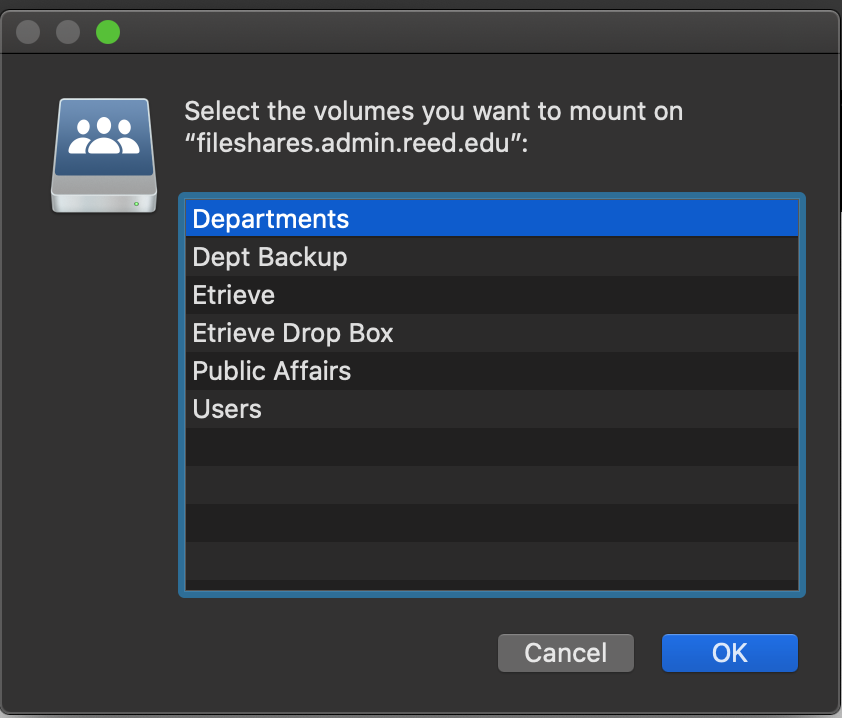
- A dialog box should pop up asking you which volumes you want to mount. Select 'Departments' and hit OK.
-
Done! You are now connected to Fileshares.
Fileshares
Accessing Fileshares
Creating a Shortcut to the Fileshares server on the Desktop and Dock
- To create a shortcut to Fileshares, follow these steps:Make sure you are already connected to Fileshares (see instructions above)
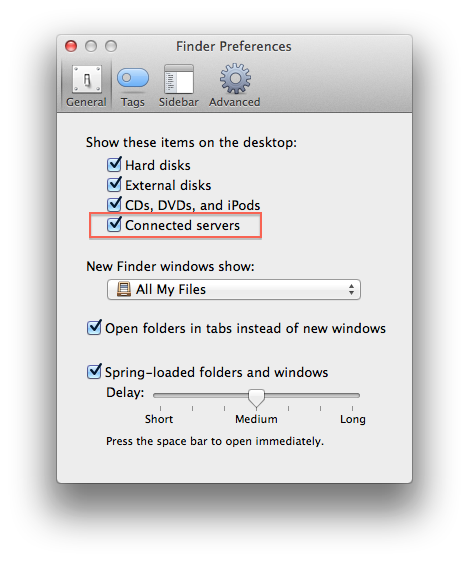
- There should be an icon on the Desktop named 'Fileshares'. If you don't see one, open Finder > Preferences and check to show 'Connected servers' on the desktop.
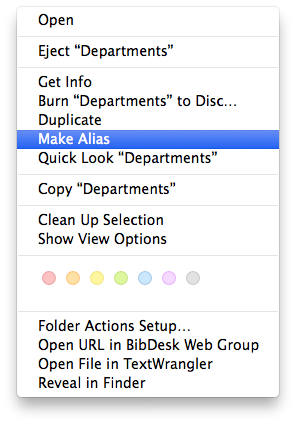
- Right-click on the desktop icon and select 'Make Alias'.
- This will create a shortcut to Fileshares named 'Departments alias' (you can rename it).
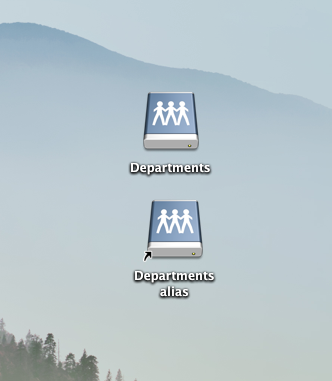
- You can now drag the shortcut to the dock for easy access!

Creating a Shortcut to Your Department Folder
To create a shortcut to your department folder, follow these steps:
- Connect to Fileshares
- Once connected, click your department folder and drag the folder to the right-hand section of your dock.
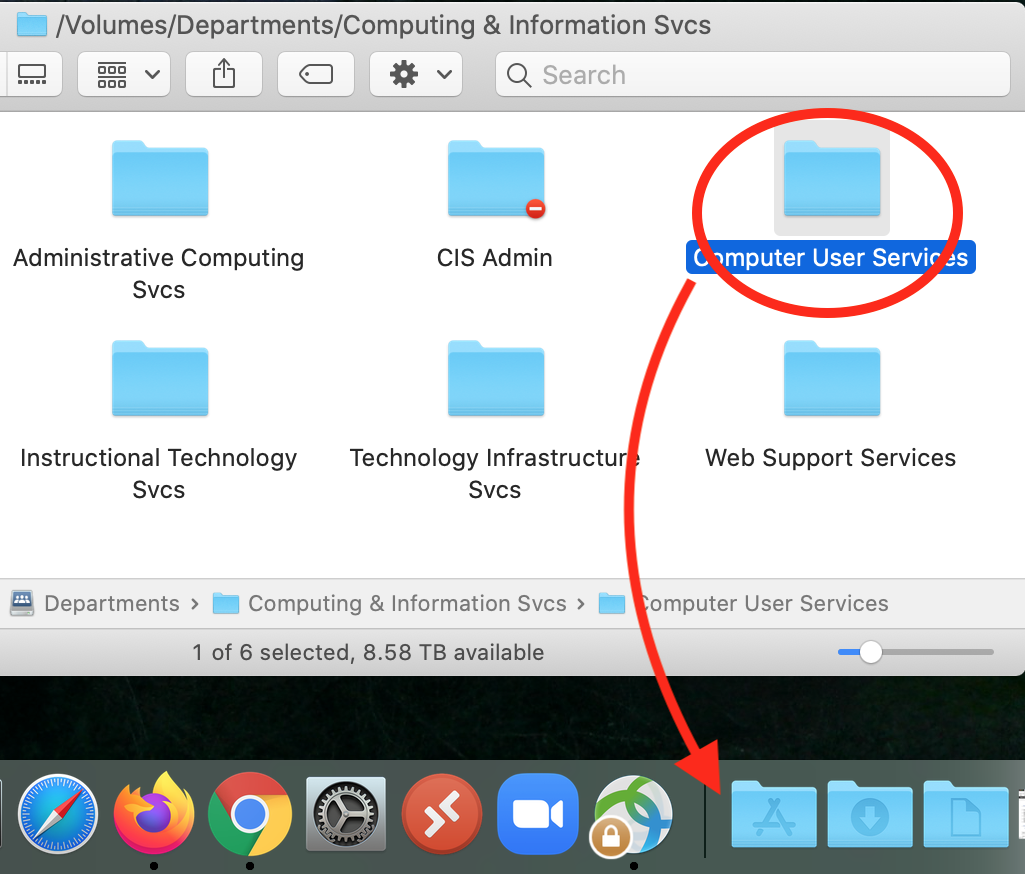
OR, hold down the "Option" and "Command keys simultaneously while dragging the folder to your desktop, or any other location where you would like to place the shortcut.
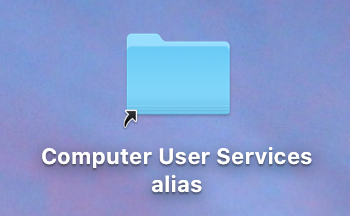
When the "Option" and "Command" keys are held down simultaneously, the folder icon will change and include a little arrow in the lower-left corner as shown in the picture below.