Duo FAQ
- What if I lose/forget my phone or token?
- What if I get a new phone?
- What if I get a new phone number?
- Do I have to use Duo every time I login?
- How do I add or remove devices?
- What Duo methods are used at Reed?
- Does the Duo app require wifi or cellular service?
- I don't have a cell phone or tablet. Am I out of luck?
- I keep generating passcodes and not using them. Is that okay?
- Do you have travel recommendations?
- Why is Duo not working in iOS?
What if I lose/forget my phone or token?
Contact the Help Desk at cus@reed.edu immediately! We'll help secure your accounts, and get you back in business as quickly as possible. While Duo Push with your mobile device is the preferred method, having another option, such as a hardware token issued by IT, is a good backup measure.
What if I get a new phone?
Follow our instructions for enrolling a replacement phone. This assumes your new phone has the same phone number, or you have access to another Duo device. If you run into issues, contact cus@reed.edu.
What if I get a new phone number?
If you have another device still connected to your Duo account like a hardware token or your old phone, follow the steps for adding a new device to your account.
If you don't have any other devices connected to your account, contact the Help Desk immediately!
Do I have to use Duo every time I login?
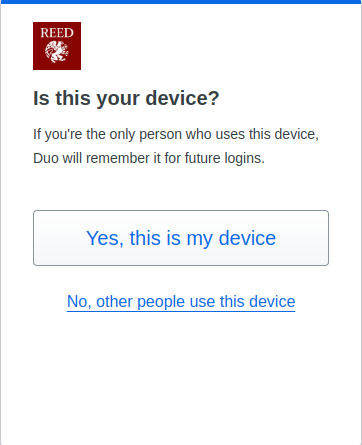
No! On personal/trusted devices, you have the option to remember Duo for future logins. With this option, cookies are stored in your browser and you will not be asked to use Duo for 30 days. This is a per browser, per device setting. Please do not check this for public computers.
How do I add or remove devices to my Duo account?
Sign into any of Reed's services that require Duo, like email (open in a private browsing session if Duo is remembered). Before completing the second step of authentication, click Other Options near the bottom. You'll be taken to a screen that shows all your methods for authenticating with Duo. Click Manage devices at the very bottom. You will then need to authenticate with Duo before being able to add/remove devices.
What Duo methods are used at Reed?
After entering your username and password on services that require Duo, you will be prompted to enter a second form of authentication. There are a number of methods that can be used, including:
- Confirm through the Duo Mobile app installed on your mobile device (cell phone or tablet), OR
- Confirm with a single-use numerical code displayed on a hardware token provided by IT staff, OR
- Confirm via a phone call to your mobile device or landline
Visit our How Two-Step Works page to see Reed's recommended two-step methods in action.
Does two-step require wifi or cellular service?
Duo Push does require wifi or cellular service to send a push notification to your mobile device.
Passcodes generated in the Duo Mobile app or with a hardware token do not require any network connectivity. Really and truly, no network connectivity is required! Duo has a helpful article on this topic.
I don't have a cell phone or tablet. Am I out of luck?
Never fear - if you don't have a mobile device or do not wish to use yours, we've got you covered! Hardware tokens are available from the Help Desk on the first floor of the ETC. Tap the token and a random numberical code is displayed. Type the code into your computer and you're on your way.
I keep generating passcodes and not using them. Is that okay?
If you generate ~20 passcodes but don't use any to authenticate, your hardware token or Duo app will get out of sync with the system. If this happens, contact CUS for assistance.
Do you have travel recommendations that relate to two-step?
When traveling, it is a good idea to prepare by setting up multiple ways to two-step. For example, if you normally use the Duo app on a mobile device, you might visit CUS to also pick up a hardware token. Additionally, you could add the telephone number of where you will be staying.
If all else fails, give Computer User Services a ring at 503-777-7525 and we will provide remote assistance.
When traveling abroad, it's important to note that Internet access in certain countries (China, Russia, and others) is restricted, and some Reed services (including Duo) may not work as expected. It is advisable to visit CUS in advance of your travels. We can give some guidance, and help you prepare for your travel.
Why is Duo not working in iOS?
If you see a gray box instead of the Duo prompt in iOS, check to see if content restrictions are enabled.
Have more questions about two-step that aren't answered here? Check out Duo's detailed online documentation. Have questions specific to Reed? Contact the Help Desk!